Shipping server racks requires careful handling due to their high value, sensitivity, and sheer weight. Whether you’re relocating an entire data centre or deploying new hardware to a customer site, get this wrong and you’re looking at damaged equipment, costly downtime, and a whole load of hassle with compliance.
Fully loaded server racks are monsters, weighing in at 600 – 1700kg and containing a staggering £100,000+ worth of equipment. They need to be shipped upright in specially designed crates or on a shock pallet, using a carrier that’s experienced in handling sensitive IT equipment and has air-ride suspension.
Quick Checklist:
Back up all your data and replicate it offsite before disconnecting anything
Document the rack configuration with photos, cable maps and serial numbers so you can keep track of everything
Secure all internal components – tighten rails, bundle cables, remove any loose items that could get in the way
Use a purpose-built crate or shock pallet with custom blocking and foam to prevent movement
Choose logistics partners that specialise in white-glove IT relocation services
Get specialised shipping insurance (some insurers only cover hardware, not data loss)
Track the shipment and check the condition of the equipment when it arrives
Shipping server racks poorly can cause hidden damage – loose PCIe cards, bent rails, and hard drives with dodgy bearings – all without you even realising it, even after the rack seems to have arrived safely. For instance, shipping a 42U rack from London to Frankfurt in April 2026 requires engineered packaging, customs documentation and a carrier who really knows their way around sensitive electronic equipment.
Modern server cabinets are massive, standing at 42U-52U tall, 800-1200mm deep and weighing a whopping 400-1700kg when stuffed with servers, storage arrays and power supplies. Make sure the shipping floor and transportation can handle the weight of loaded racks, which can easily top 1700kg.
One rack can hold hundreds of thousands of pounds worth of valuable equipment plus business-critical data, which means physical damage can cause downtime, compliance violations, and revenue loss.
Key Risks:
The rack tipping over during forklift loading and unloading because it’s a bit too top-heavy
Vibration loosening PCIe cards, RAM and cables over multiple journeys
Shock damage to spinning hard drives
Humidity, rain and condensation in unconditioned trailers
Excessive heat or cold damaging components
Theft of data-bearing devices in transit
Data centre relocations and cloud migrations in 2024-2026 are increasingly reliant on ‘rack-and-roll’ deployment – shipping pre-configured cabinets to the customer site. Which of course amplifies the risk because entire systems are being moved as integrated units.
Sorting things out in the server room weeks before collection is way more important than what happens on the truck. Think of this as a checklist your team should be working through 1-2 weeks before pickup.
Do a full system backup and if possible, replicate it offsite
Document all the equipment, including serial numbers, rack positions and cabling connections, before disconnecting anything
Sanitise or encrypt regulated data in racks holding sensitive info (GDPR, HIPAA)
Create a rack ‘as-built’ record: front and rear photos, labelled cable maps, device inventory with asset tags
It’s often safer to remove heavy or sensitive components and ship them separately to prevent damage
Do a risk assessment for each rack: total weight, centre of gravity and environmental requirements
And make sure you’ve got a clear chain of custody for servers containing sensitive data right through the shipping process.
Internal movement is the main cause of hidden damage during server rack shipping. So, before the rack goes into its crate, make sure everything is locked down.
Tighten all the mounting hardware; make sure each server is securely plugged into its rails
Lock or brace sliding rails, shelves and KVM drawers so they can’t extend
Use Velcro straps or cable ties to bundle and support power and data cables, avoiding strain on ports
Remove any loose accessories – bezels, blanking panels, spare drives, screws, tools – and label them so they don’t get lost
Label each removed component with its rack and U-position, so re-installation is a doddle
Disconnect power fully; PDUs should be switched off and fixed in place
No equipment should be left connected or running during transport – period
You can’t just use standard pallets and generic boxes for populated 42U or 47U server cabinets. You need to use engineered packaging designed specifically for the dimensions and weight of your server racks to prevent damage.
Right Packaging Options:
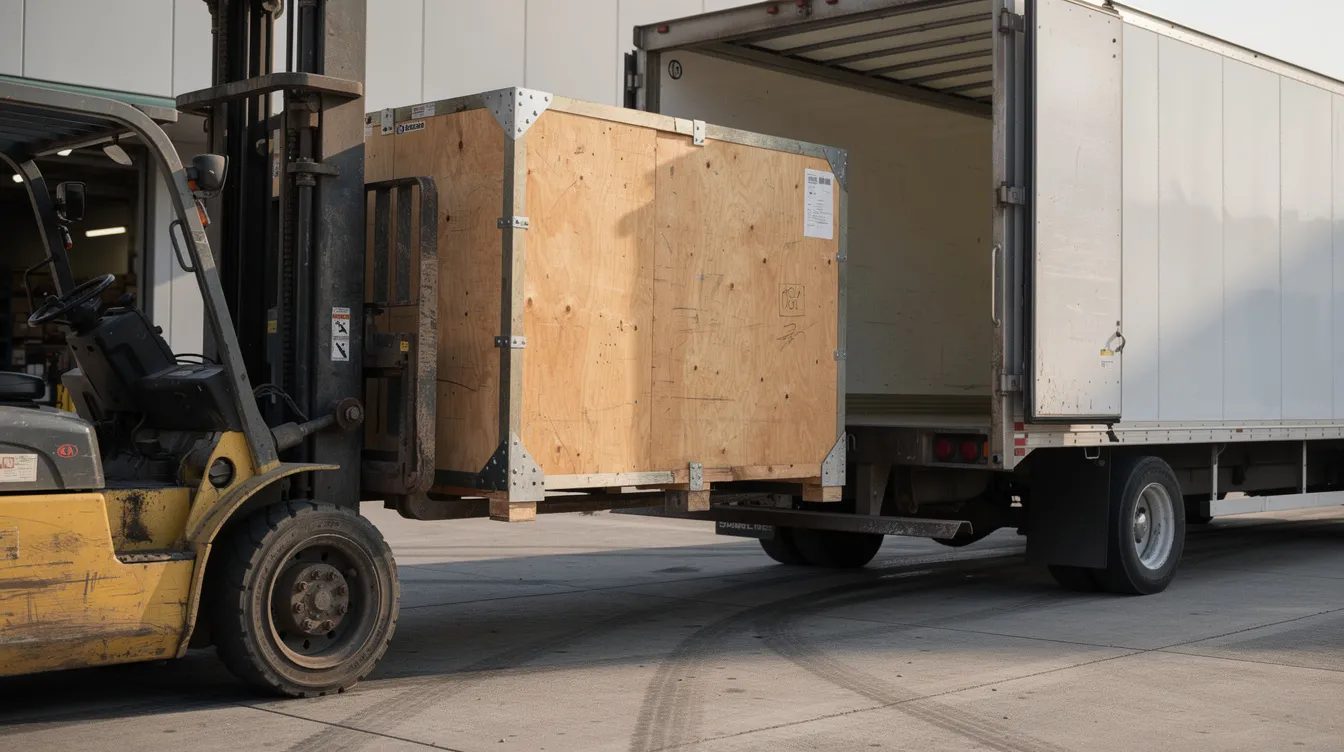
Custom Crates: Wooden or engineered composite crates built to the rack’s footprint with ramp or removable panels for easy loading. Custom server rack shipping cases designed for server racks can be tailored to fit specific dimensions, ensuring a snug fit that prevents movement during transit.
Shock Pallets: Designed to absorb vibrations and impacts during shipping, protecting sensitive equipment from damage. They incorporate HDPE or rubber mounts with high-density foam, similar in function to custom server rack cases with shock absorption and vibration dampening.
Reusable Transport Frames: – those thingies used in big shipping projects to cut down on packaging waste by using the same frames over & over . Metal or a mix of materials – like metal & other stuff, often supplied as bespoke case making and packaging solutions.
Internal Bracing: A sort of internal skeleton that stops the rack from shifting around in the crate & gives it some stability
For all the things that protect your server rack when you pack it up, good old bubble wrap is a popular choice – the air pockets in it help stop it getting damaged in transit. Add some foam blocks & corner protectors to keep everything safe. And round the edges use some cardboard to protect any sharp bits.
If you’re shipping out of the country, use crates that meet ISPM15 standards – that way you can make sure the base of the crate is nice & squishy so it can absorb any bumps on the road, similar to ISPM15-compliant packing cases and wooden export crates. The ISTA 3E standard does these tests to see if your packaging is up to the job – it’s a good benchmark to hit.
Using custom crates & shock pallets can be a game-changer – you can save a fortune in repair costs & get your data center back up & running in no time.
When do you choose what:
Full crates are for long hauls – whether that’s by road, sea or across borders. A shock pallet wrapped up in shrink wrap is good for shorter trips with a specialist carrier.
Moving IT hardware across borders has got its own set of rules to follow, and it often makes sense to work with specialist export packing and shipping services.
Export Documents: When shipping between the UK & EU, or EU & US, you’ll need to make up commercial invoices, packing lists & relevant code numbers for all the networking gear
Lithium Battery Compliance: If your UPS units or edge devices with batteries are still in the rack, you need to follow IATA/IMO hazmat rules – that way you stay on the right side of the law.
Data Protection: When shipping a rack with storage devices that still have live info on ’em or encryption enabled, GDPR kicks in – that means you need to remove the drives or encrypt the data before you ship. Security measures are important too – use tamper evident tape & secure latches, get the trailer locked up & only let vetted drivers handle your goods.
Insurance: If you need to ship a rack, get proper shipping insurance that matches the true value of the gear, not the weight of the crate, and consider whether a specialist ISPM15 case and crate manufacturer is involved so you can evidence build quality if you need to claim.
Shipping a server rack from Manchester to Dublin by ferry is a whole different ballgame to shipping to Amsterdam by road.
Choosing the right logistics company is key – they need to have the know-how to look after your sensitive equipment without damaging it.
If you’re moving a whole lot of gear, you really need a pro to come in & do it for you
Get a company that’s good at white-glove IT relocations – they’ll give you a personal service that includes tail-lifts & careful unloading
Make sure the carrier has the right kit to lift your rack – 600-1700kg is a lot of weight
Air ride suspension trucks will help keep your gear safe from bumps on the road
Use upright transport, no stacking & make sure the driver knows not to tip the thing. Use marked fork pockets & tie down the rack securely
Sort out the delivery site in advance – measure the doors, lift, route & book in your loading bay
Get a logistics company that gives you white glove service – that means they’ll treat your gear with care & get it to where it needs to go safe & sound.

When the crate arrives, you need to get it open & check for damage pronto.
Check your gear the minute it arrives for any damage – take photos before the driver leaves
Get the crate into a climate-controlled area before you uncrate it – that way it doesn’t get all soggy
Take your time uncrating, & put all the fixings in bags so you can put ’em back if needed
Before you move the rack into place, check its frame for any damage
Compare your delivered gear to the original documentation – check everything’s there & all cables are intact
Test your gear in small steps – OEM tools, SMART drive checks will help spot any problems
Update your asset register & document any issues for any claims you might need to make. If there’s damage, file a claim ASAP – check your policy for deadlines.