A server data rack is a standard bit of kit designed to house your servers, networking gear and storage units securely inside your own server room or the UK data centre. By 2026 with edge computing and 5G demanding faster processing you’ll really need these to make the most of available floor space while still keeping airflow and cable management under control.
You’ll see server racks used in a lot of different situations – colocated hosting facilities where segregation of different tenants is a must, small business networks in office suites or even edge computing nodes in a warehouse. Whether you’re after server rack cabinets for a home lab or serious high quality server racks for proper enterprise deployment, getting to grips with the options will make buying a lot less of a gamble.
Server data racks and data cabinets are often used interchangeably but there are differences. Open frame racks give you complete airflow and easy access, while enclosed server cabinet designs offer lockable doors, some noise reduction and dust filtration. The rest of this article will go into some detail on how to decide sizes, load ratings, cooling features and what rack will be right for your needs.
Key points:
Server data racks just stack all your kit up vertically to save space
Open frame racks are great in a controlled data centre environment
Enclosed cabinets give you security and environmental protection for your kit
You’ll find loads of different types of rack cabinets on the market, but most of them fit into 4 main categories: free-standing server cabinets, wall-mounted data cabinets, open frame racks, and co-location racks.
Free-standing cabinets in standard 19″ width are the workhorses of UK data centres. A typical 42U cabinet with 600mm width and 1000mm depth can take 42 1U servers or mixed configurations of storage and networking gear – they are ideal when you want enclosed protection and support for heavy loads.
For small office networks where floor space is in short supply, wall mounted data cabinet options – usually 12U or 18U – work a treat. They support lighter loads (50–150kg) and are perfect for devices like patch panels and switches.
Open frame racks are a good deal cheaper than enclosed cabinets and give you much better ventilation – they are best suited for secure network closets or hot/cold aisle setups in controlled environments.
Co-location racks have 2, 3 or 4 segregated compartments, each with its own unique key. This design stops cross-tenant interference in multi-tenant facilities – a growing trend as UK edge data centres expand.
Ideal situations:
Free-standing 42U cabinet: proper enterprise server rooms and data centres
12U wall mount: small office and home networks, plus wiring closets
Open frame rack: labs, secure cages with dedicated cooling
Co-location rack: multi-tenant hosting, colocated environments
The standard depth options are 600mm for shallow telecom gear, 800mm for most networking, 1000mm for standard servers and 1200mm for deep storage arrays.
The u heights system is a standard that uses “U” (rack unit) as the metric for vertical space, where 1U is exactly 44.45mm. This standard allows you to work out how much kit will fit inside any rack exactly.
To work out your requirements, measure the total height of your kit in mm, and divide by 44.45. Add 20-30% spare capacity for future growth and blanks.
Common UK rack heights include:
12U (~533mm internal): small office, wall mount applications
24U (~1067mm internal): mid-sized office deployments
27U (~1200mm internal): a versatile option
42U (~1867mm internal): data centre standard
47U (~2089mm internal): maximum capacity for future-proofing
Rack width is usually 600mm or 800mm externally – choose 800mm when you need to manage heavy cabling bundles of 100+ Cat6A cables, or 600mm if doorways and corridors are narrow.
Internal usable height is different from overall external height – you’ll need to account for castors (100-125mm), adjustable feet (50-80mm), and top cable entries. Always check product pages for exact internal dimensions before you order.

The top quality server racks use welded steel frames typically 2-3mm thick, capable of supporting static loads from 750kg up to 1500kg. Aluminium or steel mesh doors with 70-85% perforation allow airflow while providing security and antistatic powder-coated finishes protect against corrosion in UK environments.
Load ratings matter a great deal depending on your deployment – so it really is worth checking:
Light-duty racks (300-500kg): castor mounted, suitable for office use with limited equipment
Heavy-duty cabinets (750-1000kg): floor-standing, designed for data centres with dense server loads* Ultra-heavy Racks (up to 1500kg): – you’ll want a reinforced construction for areas prone to seismic activity … or if you’re dealing with an extremely heavy storage setup
Load ratings assume evenly spread weight. Bottom line: place the heaviest items – your UPS units and batteries – at the bottom to bring the centre of gravity way down and prevent the rack from toppling over
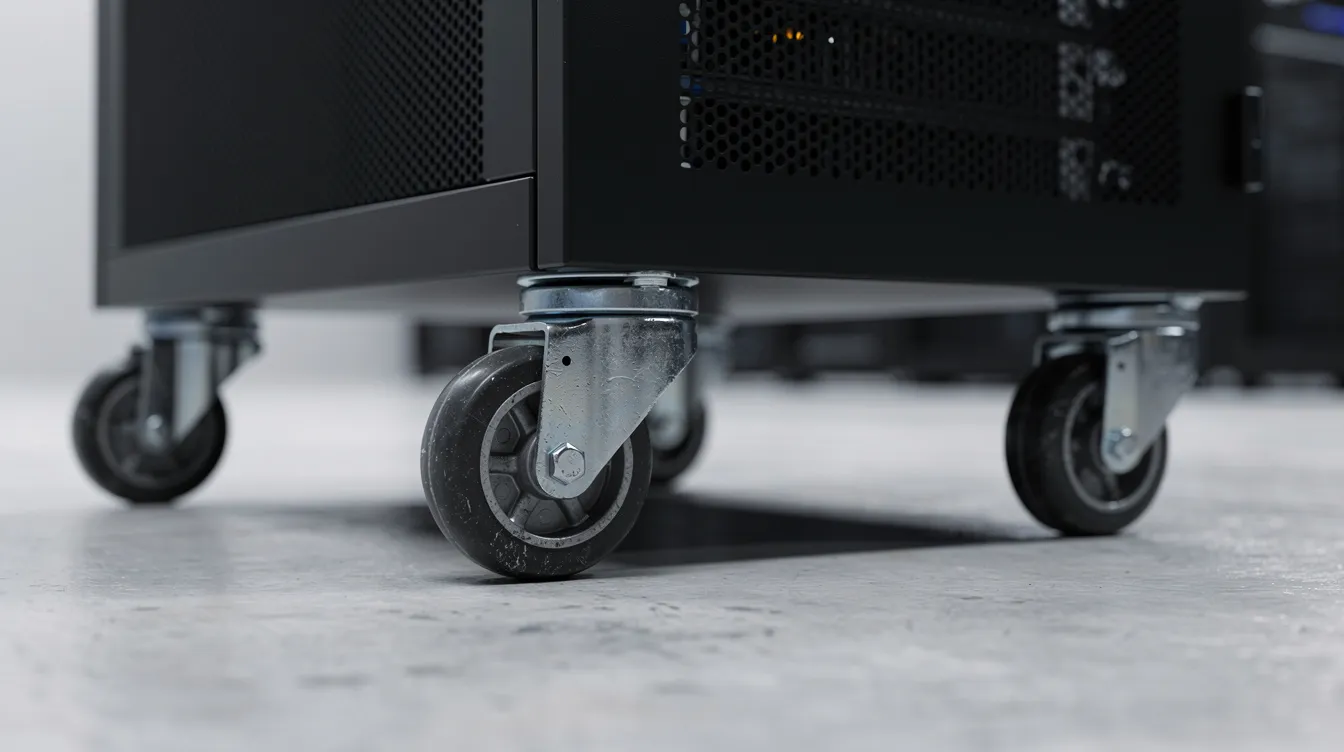
To get the best out of your rack, you’ll want some practical accessories like standard duty castors (75-100mm supporting 300kg) or heavy-duty castors (125mm supporting 800kg and brakes), and adjustable feet for floors that are a bit wonky, as well as plinths which add a 150-200mm height plus under-rack cable routing. This is all about making it easy to get your rack up and running in its environment.
You’ll need a rack with perforated mesh front and rear doors that are at least 80% open to get the airflow going – that’ll keep the temperature difference across the rack to less than 1°C. Vented side panels and open tops make it easy to implement hot aisle/cold aisle layouts – and those are now pretty standard in UK data centres.
Blanking panels are a must if you’ve got unused space in the rack – they stop hot air from circulating round and round – without them, you’re looking at efficiency losses of 15-25% and inlet temperatures that will be way above ASHRAE’s recommended 22-27°C range.
Deeper racks of 800mm or 1000mm depth give you loads of space to manage your Cat6A, Cat7 and fibre patching – without violating the minimum bend radii of 30-50mm for most cables – which is essential for avoiding signal attenuation in high-performance networks
Cooling and cabling Checklist:
Perforated doors (at least 70% open area)
Blanking panels for every unused U position
Vertical cable channels (50-100mm wide)
Brush cable entry panels (top and bottom)
Rear cable trays for the runs
Adjustable front and rear mounting rails
A 19-inch rack-mount PDU will sort out your servers and networking kit out for you. In the UK, you’ll probably want to opt for BS1363 13A sockets for standard loads, 16A Commando plugs for more demanding kit, and IEC C20 inputs for servers from further afield.
PDU types include:
Basic PDUs: Just power distribution – lowest price point
Filtered PDUs: They’ll reduce EMI noise if you’re using sensitive storage systems
Metered PDUs: Possibly remote monitoring via SNMP – pretty essential if you’re colocated and want to track usage – so you can be sure to only pay for what you’re using
You can get horizontal 4-way and 6-way PDUs that fit between your front profiles, or vertical PDUs which span the full height of your 42U+ racks. Aluminium housings are good at dissipating heat
Some other accessories to chuck in to your order:
Fixed shelves which can deal with up to 50kg per U
Adjustable shelves for when your kit comes in different sizes
Sliding shelves for your keyboards or KVM setups
Cable management rings and D-rings
Here’s a step-by-step guide to help you narrow it down:
Measure your kit’s depth: work out the minimum cabinet depth needed by adding 130-200mm to your deepest device (including cables) and take into account any other bits of kit that might be added
Calculate total U: add up all your equipment’s heights – then add in an extra 20-30% for when you inevitably add a bit more
Check your room layout: measure the sizes of doorways, corridors and lifts to make sure the rack can actually make it to its destination
Verify load requirements: your total weight of kit × 1.5 safety factor = your minimum load rating needed
Example sizing: A small office with a 2U firewall (89mm), 1U switch (44mm), 1U UPS (44mm) and two 1U patch panels needs approximately 5U. Adding 58% spare capacity points to a 12U cabinet – or an 18U if you think you’re going to need it in the future
Security needs will vary depending on your environment. Lockable mesh doors are perfect for office setups, but if you’re colocated – you’ll need individually keyed co-location compartments to comply with UK data protection requirements
Key Decisions summary:
Height: it’s a good idea to match your current kit and add some room for growth.
Width: 600mm for more compact access – or 800mm if you’ve got loads of cabling
Depth: 1000mm will cover most servers, 1200mm for deeper storage
Load rating: always err in the direction of caution and go above your total equipment weight
Cooling: perforated doors and blanking panels
Security: lockable doors and segregated compartments if you’re in a shared setup
Delivery: just double check availability and lead times
In the UK, standard items will probably take 1-2 days to arrive – some suppliers might even do next day on standard configurations if you order by Monday lunchtime. Made-to-order racks will take longer – 3-10 working days depending on size and specs.
If you’re in the UK but need to get stuff to somewhere like the Netherlands – add a bit of extra time to the equation, and consider specialist server rack shipping cases if you’re moving fully populated cabinets over longer distances.Before you start delivering gear, check that the lifts can handle racks that are bigger than 800kg or 2m high. Think about the routes you’ll be taking through corridors (which really should be at least 800mm wide) and get some castors with a transportation function so you can shift things around.
Installation checklist:
Get the base level – and I mean properly level – using adjustable feet or a plinth if needed
Stuff the rail depth so its the same as the depth of the server chassis
Get your cable trays and PDUs sorted before you start chucking in the kit
Make sure power is earthed to TN-S systems if you’re plugging in loads from multiple feeds
If you get a rack that’s over 500kg you’ll need to bolt it to the floor or plinth to stop it walking off
Double check the load is distributed evenly (i.e. the heaviest stuff at the bottom) – if you’re not sure it’s best to get some advice
Always double check that the finished install is level and not overloaded – if in doubt, take a look at the manufacturer’s website where they’ll have a load per U figure for you to consult.
Do I need a 600mm or 800mm wide rack? 600mm if you’ve got a doorway or corridor that’s a bit on the narrow side – 800mm if you’re handling loads of cables and need a bit of extra room to manouver
What height rack will a small office need? 12U or 18U should cover most bases for a small office – use the formula to work out what you need, and then add on 30% to give yourself some wiggle room and avoid oversizing.
Can I safely wall mount a 12U cabinet? Yes, as long as the wall can take the weight (which is usually around 50 to 150 kg) and you’re using the right fixings – always use the wall studs, not just the plaster – that stuff isn’t exactly solid
Can non-rackmount kit like routers or NAS units go inside the cabinet? Yeah, pretty much – just chuck them on a shelf of some sort, and strap them in to stop them getting knocked about when someone wants to access them.
When should I choose an enclosed cabinet over an open frame rack? Enclosed cabinets are the way to go if noise is an issue (some of these things can get pretty loud) or you need to keep the dust off/your gear secure in some way. Open frame racks are better in data centres with proper airflow and stuff
Choosing the right server data rack is about weighing up a bunch of different factors that depend on your specific environment – take your time, and you’ll end up with a beast that’ll last you for years.
Core selection criteria:
Match the rack to your environment (closed if you’re in an office, open if you’re in a data centre and can sort out your own airflow)
Work out your U height needs, and add on 20-30% to give yourself some headroom
Work out the depth of the rack so you can fit in all the kit you’ve got, plus a bit of spare
Make sure the load you’ve got is actually compatible with the rack
Think about the cooling you need – nobody wants a rack that’s going to be a fire hazard
Work out your security needs, and make sure the rack you’re buying can meet them
Before you commit to buying anything, make a list of all the kit you’ve got, including dimensions – this will stop you from ending up with a rack that’s too small, or having to pay to replace it in a few months, and will also help you specify custom server rack cases for safe transport if you need to ship the equipment between sites.
If you want some proper advice, give one of our expert sales blokes a shout – send over your list of gear, your room dimensions, and your security needs, and we’ll sort you out with the perfect answer.